
Download CD DVD Burning – CD burning, DVD burning, data backup, file management, disk image, ISO file, CUE file, rewritable discs, drag and drop, portable app, no installation, multiple sessions, file preservation
Overview
CD DVD Burning serves as a dedicated utility for users who continue to rely on physical media for data preservation, despite the rise of cloud-based storage solutions. The app addresses the persistent need for reliable, offline file archiving and long-term data retention. It is particularly useful for individuals and small teams managing large collections of documents, music, videos, or software that benefit from tangible backup solutions. The target users include photographers, educators, archivists, and anyone seeking a secure, offline method to safeguard digital assets. While the developer did not provide additional background, the app’s longevity since its release in 2007 suggests a stable and functional core design. Real-world use cases include creating audio CDs from MP3 collections, backing up project files for client delivery, or reusing rewritable discs for ongoing data storage. In the broader app ecosystem, CD DVD Burning occupies a niche but important space, offering a lightweight alternative to complex burning software. Its continued relevance underscores the enduring value of physical media in specific professional and personal workflows.Key Features & Functionality
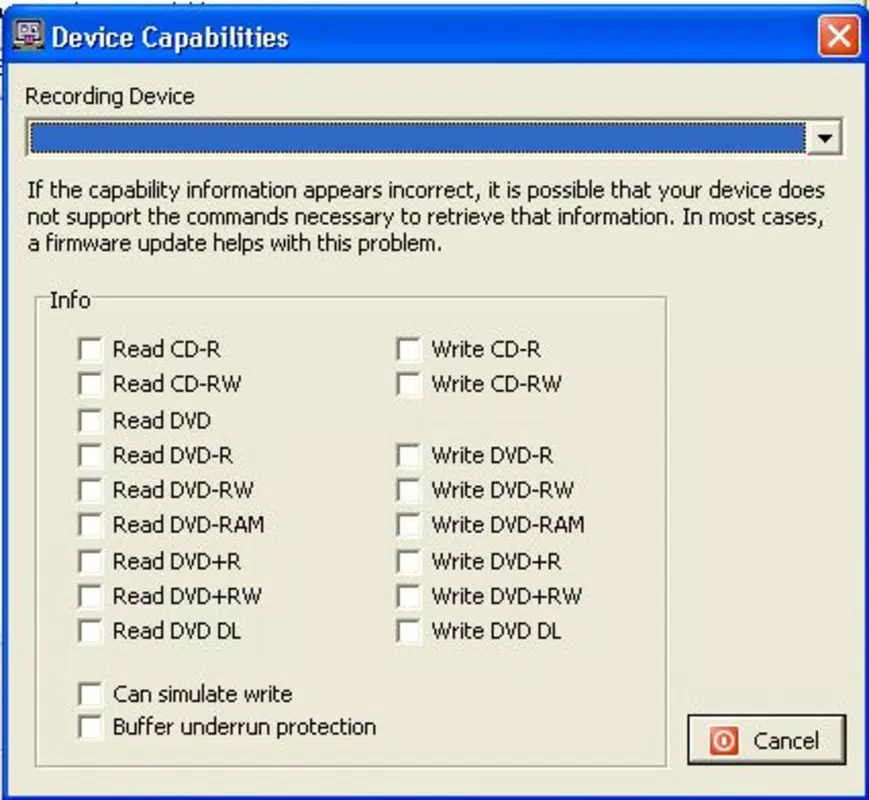
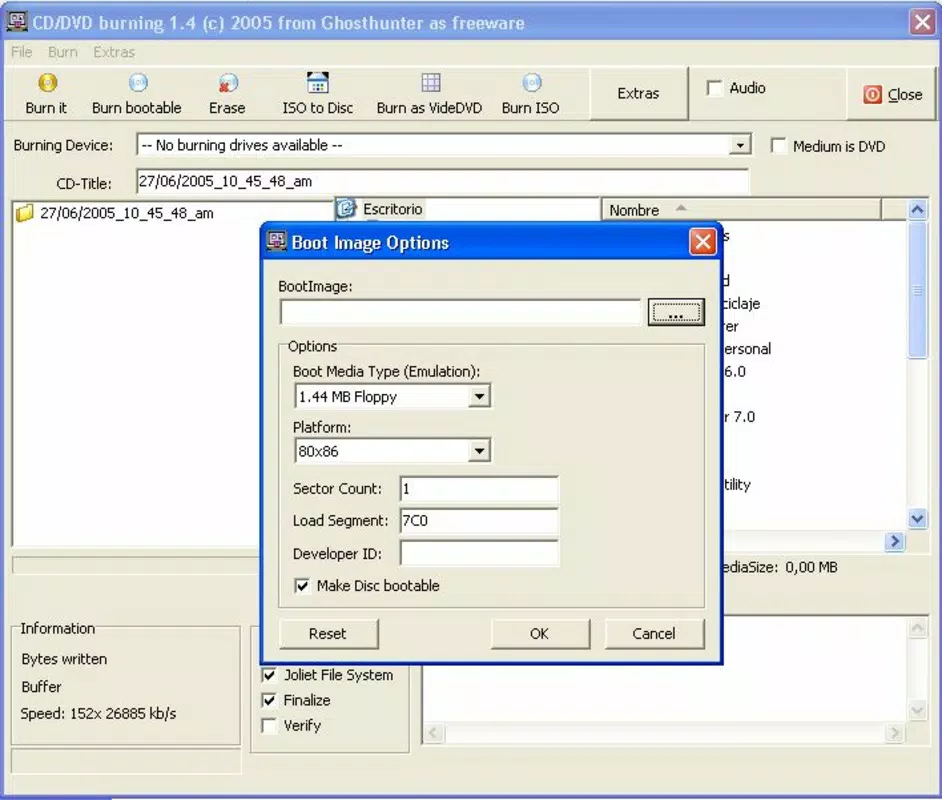
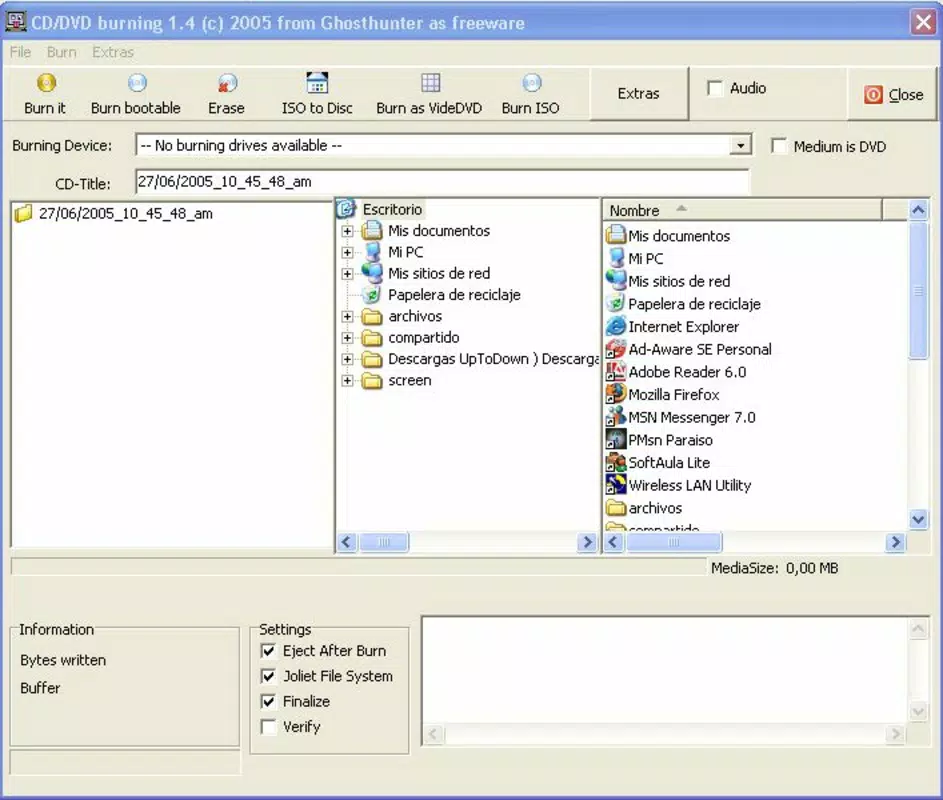
CD DVD Burning delivers a streamlined experience tailored to the core task of burning data to optical discs. The drag-and-drop interface enables users to quickly transfer files from their file explorer directly into the app’s workspace, eliminating the need for complex navigation or configuration. Once files are added, a single click on the “Burn CD” button initiates the process, minimizing user effort. The app supports multiple disc formats, including DVD-R, DVD-RW, CD-R, and CD-RW, allowing compatibility with a wide range of media types. It also handles ISO and CUE disk image files, enabling users to burn pre-packaged disc images without additional tools. A notable feature is the support for multiple sessions, which allows users to add data to a disc incrementally over time without finalizing it immediately. This is ideal for users who need to expand a backup gradually or manage evolving project files. The application is portable, meaning it does not require installation and can be run directly from a USB drive or external storage. This makes it highly accessible for use across different computers. Additionally, the ability to erase rewritable discs enhances reusability, reducing waste and cost over time. These features collectively create a practical, no-frills tool for users who prioritize reliability and simplicity.- Drag-and-drop file integration for instant access
- Support for DVD-R, DVD-RW, CD-R, CD-RW, and other optical disc formats
- Import and burn ISO and CUE disk image files
- Multiple session capability for incremental data addition
- Portable operation—no installation required
- Erasure function for rewritable discs to enable reuse
- Minimal memory footprint for efficient performance
Interface, UX & Performance
The user interface of CD DVD Burning is designed with simplicity and functionality in mind. The layout centers around a clear file list area, with a prominent “Burn CD” button positioned for immediate access. Navigation is straightforward, relying on standard Windows file system interactions. Users can drag files directly from folders into the application window, and the interface provides visual feedback during the burning process. Although the developer did not list formal performance metrics, the app’s small file size of 2.8 MB suggests optimized resource usage. It is likely to perform well on older or low-resource systems, making it suitable for use on legacy hardware. Responsiveness is consistent with its lightweight nature—users can expect minimal lag during file selection and burning initiation. Stability appears to be a strength, given the app’s long-standing presence since 2007. The absence of installation requirements also contributes to a clean, consistent user experience across different machines. While detailed information on error handling or progress tracking was not provided, the app’s design implies a focus on reliability and minimal user intervention. Overall, the UX prioritizes speed and clarity, aligning with the needs of users who value efficiency over advanced customization.Platform Compatibility & Technical Requirements
CD DVD Burning is designed for the Windows operating system. The app is compatible with various Windows platforms, though specific version requirements were not listed. The file size is 2.8 MB, indicating a lightweight application that does not impose significant storage demands. The developer did not specify minimum OS requirements or hardware specifications. It is also not available on mobile platforms such as Android or iOS. Given its portable nature, the app can be executed from external drives or network locations without altering the host system. This flexibility supports use across different Windows environments, including shared or restricted workstations. The absence of installation steps reduces the risk of system conflicts or registry modifications. However, users should ensure their system has a functional optical drive and compatible disc media to use the app effectively. Compatibility with modern Windows versions remains plausible due to the app’s minimal dependencies, though no official confirmation was provided.Pros and Cons
- Simple drag-and-drop interface for fast file integration
- Supports multiple disc formats including rewritable types
- Capable of handling ISO and CUE disk image files
- Multiple session support for incremental burning
- Portable—no installation required, runs from USB drives
- Low memory usage and minimal system impact
- Free to download and use with no hidden costs
- Not available on mobile platforms like Android or iOS
- Developer did not disclose OS version compatibility
- No detailed progress or error reporting features mentioned
- Limited visual customization or advanced settings
- Requires physical optical drive and disc media
- Support for newer disc formats not confirmed


